Understanding ATS: How to Make Your Resume Pass Applicant Tracking Systems
Learn what ATS systems are, how they work, and proven strategies to ensure your CV gets past the robots and into human hands.

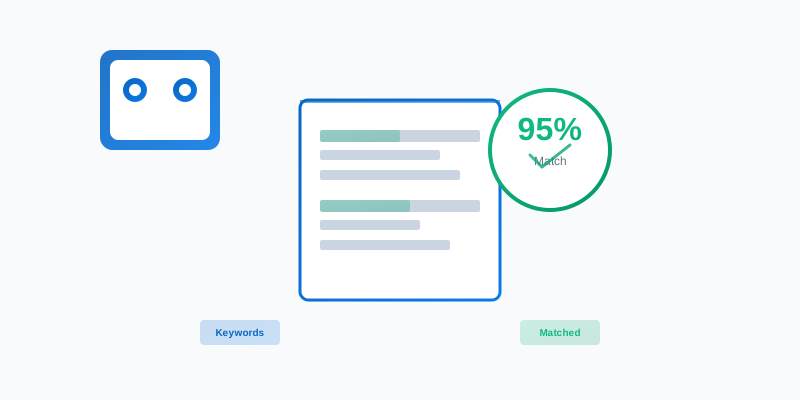
You've spent hours crafting the perfect CV, highlighting your achievements and experience. You submit it to your dream job, confident that you're a great fit. Weeks pass with no response. What happened?
Chances are, your CV never reached a human recruiter. It was filtered out by an Applicant Tracking System (ATS)—software that most companies use to screen applications before they reach human eyes.
What is an ATS?
An Applicant Tracking System is software used by recruiters and HR departments to manage the hiring process. These systems:
- Store applications in a centralized database
- Screen CVs for keywords and qualifications
- Rank candidates based on match scores
- Filter applications before human review
- Schedule interviews and manage the hiring pipeline
Popular ATS systems include:
- Workday
- Greenhouse
- Lever
- Taleo
- iCIMS
- BambooHR
How ATS Systems Work
1. Parsing
When you upload your CV, the ATS extracts information:
- Contact details
- Work experience
- Education
- Skills
- Keywords
2. Keyword Matching
The system compares your CV against the job description:
- Identifies required skills and qualifications
- Calculates a match score
- Ranks you against other candidates
3. Filtering
CVs below a certain match threshold are automatically rejected. Only high-scoring applications proceed to human review.
Why CVs Get Rejected by ATS
Formatting Issues
Problem: Complex formatting confuses ATS parsers
- ❌ Tables and columns
- ❌ Text boxes and graphics
- ❌ Headers and footers
- ❌ Images and logos
- ❌ Unusual fonts
Solution: Use simple, clean formatting with standard fonts (Arial, Calibri, Times New Roman)
Missing Keywords
Problem: Your CV doesn't include the keywords from the job description
Solution: Naturally incorporate relevant keywords throughout your CV
File Format Issues
Problem: Some file formats aren't ATS-friendly
- ✅ PDF (if text-based, not scanned image)
- ✅ Word (.docx)
- ❌ Scanned PDFs (images, not text)
- ❌ Google Docs (download as PDF first)
- ❌ Pages (convert to Word or PDF)
Missing Standard Sections
Problem: ATS systems look for standard section headers
Solution: Use clear, standard section names:
- Professional Summary
- Work Experience
- Education
- Skills
ATS-Friendly CV Best Practices
1. Use Standard Section Headers
✅ Professional Summary
✅ Work Experience
✅ Education
✅ Skills

❌ About Me
❌ Career History
❌ Academic Background
❌ Core Competencies
2. Include Keywords Naturally
Don't just list keywords. Integrate them into your experience descriptions:
Bad:
Skills: JavaScript, React, Node.js, Python
Good:
Developed full-stack applications using JavaScript, React, and Node.js,
improving system performance by 30%. Utilized Python for data analysis
and automation tasks.
3. Use Standard Date Formats
- ✅ January 2024 - Present
- ✅ 2020 - 2024
- ❌ 01/20 - Now
- ❌ 2020 to 2024
4. Keep It Simple
- Use standard fonts (10-12pt)
- Simple bullet points
- Consistent formatting
- Black text on white background
- Standard margins (1 inch)
5. Include a Skills Section
Have a dedicated skills section with relevant keywords:
Technical Skills: JavaScript, React, Node.js, Python, SQL, Git, AWS
Soft Skills: Leadership, Communication, Problem-Solving, Agile
Testing Your CV for ATS Compatibility
Manual Checks
-
Copy-paste test: Copy your CV text into a plain text editor. If information is missing or jumbled, the ATS will have the same problem.
-
Keyword density: Count how many times important keywords from the job description appear in your CV.
-
Format check: Ensure no tables, text boxes, or complex formatting.
Online Tools
Several free tools can help:
- Jobscan: Compares your CV to job descriptions
- Resume Worded: ATS compatibility checker
- VMock: Resume analyzer
Common ATS Myths Debunked
Myth 1: "I need to stuff my CV with keywords"
Reality: Keyword stuffing can actually hurt your score. Keywords should be natural and supported by experience.
Myth 2: "ATS systems can't read PDFs"
Reality: Modern ATS systems can read PDFs, but only if they're text-based (not scanned images).
Myth 3: "I should use a creative, unique format"
Reality: Creative formats often confuse ATS systems. Save creativity for your portfolio, not your CV.
Myth 4: "Once I pass the ATS, I'm guaranteed an interview"
Reality: Passing the ATS just gets you to human review. Your CV still needs to impress recruiters.
The ApplyFast Advantage
Manually optimizing your CV for ATS systems is time-consuming and error-prone. ApplyFast automatically:
- ✅ Extracts keywords from job descriptions
- ✅ Formats your CV for ATS compatibility
- ✅ Ensures proper keyword integration
- ✅ Uses ATS-friendly formatting
- ✅ Generates text-based PDFs
Result: Your CV passes ATS screening and reaches human recruiters.
Final Tips
- Tailor for each application: Different jobs require different keywords
- Keep a master CV: Maintain a comprehensive version with all experience
- Test before submitting: Use ATS checkers to verify compatibility
- Update regularly: Keep your CV current with latest skills and experience
- Get feedback: Have others review your CV for clarity and impact
Conclusion
Understanding ATS systems is crucial for modern job seekers. By following these best practices, you'll dramatically increase your chances of getting past the robots and into the hands of recruiters.
Remember: ATS optimization is just the first step. Once you pass the automated screening, your CV still needs to impress human reviewers. Balance ATS-friendliness with readability and impact.
Ready to optimize your CV for ATS systems? Try ApplyFast and ensure your resume gets past the robots every time.
More Articles
How to Tailor Your CV for Each Job Application
Learn the art of CV customization and why tailoring your resume to each job description dramatically increases your chances of getting noticed.
January 15, 2025
5 Essential CV Tips for 2025
Stay ahead of the competition with these proven CV strategies that work in today's job market.
January 5, 2025